A CORS error, most often Access to fetch at 'http://localhost:4000/api' from origin 'http://localhost:3000' has been blocked by CORS policy: No 'Access-Control-Allow-Origin' header is present on the requested resource, is the browser refusing to hand your JavaScript the response it already received, because the server never said it was allowed to. This is not a network failure and not a bug in your fetch call: the request usually reached the server and the server usually responded, the browser is the one enforcing the block, on the client side, and only the server side can fix it by sending the right header. The fastest way to know whose fix it is: if you can see the request succeed in your server’s own logs or terminal output, the server ran fine and the header is missing. If the request never reaches the server at all, the cause is different (a preflight failure or a wrong port), covered below.
What CORS actually is, and why localhost triggers it
The browser treats http://localhost:3000 and http://localhost:4000 as two entirely different origins, because origin is defined as scheme, host, and port together, all three have to match. This trips up a lot of developers, since everything is “on the same machine,” but the browser does not know or care about that; a different port is a different origin, exactly the same as a different domain would be. Cross-Origin Resource Sharing (CORS) is the browser’s own security mechanism, not something either server enforces on the other. The response has to arrive carrying a header that explicitly names the calling origin as allowed, or the browser discards the response body and raises the error your code sees, even though the request itself often completed successfully.
The three common causes, ranked
1. The server has no Access-Control-Allow-Origin header at all (most common)
This is the plain case above: the API responded normally, with a real body and a 200 status, and the browser still blocked it because the response carried no CORS header naming the caller’s origin.
Fix: add the header on the server, matched to the actual calling origin during development:
// Express example
app.use((req, res, next) => {
  res.header('Access-Control-Allow-Origin', 'http://localhost:3000');
  res.header('Access-Control-Allow-Headers', 'Content-Type, Authorization');
  next();
});
Using cors middleware (npm install cors) does the same thing with less manual header-writing and is the more common real-world fix: app.use(cors({ origin: 'http://localhost:3000' })).
2. A preflight OPTIONS request is failing before your actual request ever runs
Any request that is not a “simple” GET (a POST with a JSON body, a custom header like Authorization, or a non-standard content type) triggers the browser to send an automatic OPTIONS request first, asking the server for permission. If the server does not handle OPTIONS requests, or handles them with the wrong headers, the preflight itself fails and your actual POST or PUT never gets sent at all. This shows up in the browser’s network tab as an OPTIONS request with a non-200 status sitting right before the failed real request, which is the single fastest way to distinguish this cause from cause 1.
Fix: make sure the server responds to OPTIONS requests (most CORS middleware does this automatically) with the same Access-Control-Allow-Origin header, plus Access-Control-Allow-Methods and Access-Control-Allow-Headers naming what the real request will use.
3. Credentials (cookies, auth headers) are involved and the wildcard is used
If the request sends credentials (credentials: 'include' in fetch, or cookies via a session), the server cannot respond with Access-Control-Allow-Origin: *. The wildcard and credentials are mutually exclusive by spec, and browsers will block the response even though the header is technically present.
Fix: set Access-Control-Allow-Origin to the exact calling origin (not *), and add Access-Control-Allow-Credentials: true on the server, plus credentials: 'include' on the client request.
Telling whose fault it is before you touch any code
The gap in most CORS guides is that they explain the mechanism and jump straight to “add this header,” without first showing how to confirm which side actually needs the fix. Two checks settle it in under a minute:
- Open the Network tab and look at the failing request’s status. If it shows a real status code (200, 404, 500) with a response body, the server ran and responded; the fix belongs on the server, adding or correcting the header. If the request shows as
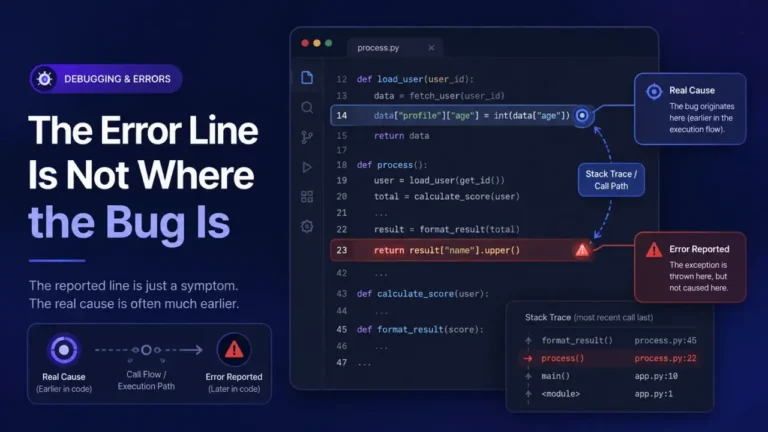
(failed)with no status at all, or the only request present is anOPTIONSthat failed, the request may not have reached your actual route handler, which points at cause 2 or a genuinely dead endpoint, not a missing header on a working response. - Check the server’s own terminal or log output for that request. If the server logged the request and responded normally, it worked; the browser is the one discarding it. This single check ends most “is it my frontend or backend” confusion immediately, because it separates “did the server run” from “did the browser accept the response,” which are two different questions the error message does not distinguish for you.
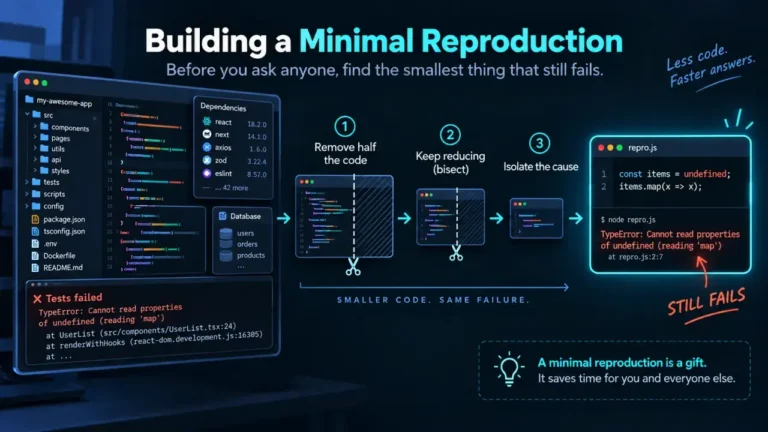
The failing request itself, once you get past the CORS block, still deserves a proper read if it turns into a genuine runtime error further down the code; Reading a Stack Trace You Did Not Write covers the general method for that once you have one.
A proxy sidesteps CORS during development, it does not fix it
A dev-server proxy (Vite’s server.proxy, Create React App’s proxy field, or an Nginx reverse proxy) makes requests appear to come from the same origin during local development, which avoids the CORS check entirely rather than satisfying it. That is a legitimate and common development-time workaround, but it is not the production fix: once the frontend and backend are deployed to genuinely different origins, the proxy is not there anymore, and the server still needs the correct CORS headers configured for whatever origin will actually call it in production.
FAQ
Why does the error appear in the console but the request shows as succeeded in the Network tab?
Because the request did complete over the network. CORS is enforced by the browser after the response arrives, when deciding whether to hand the response body to your JavaScript. The network layer sees success; the JavaScript-facing API sees a blocked response.
Can I fix a CORS error entirely from the frontend?
No, not for a genuine cross-origin production request. The header has to come from the server that owns the response. A dev proxy can avoid the issue locally, and browser extensions that disable CORS checking exist for local testing only, they are not a fix anyone should ship or rely on.
Why does it work in Postman or curl but not in the browser?
Because CORS is a browser-enforced restriction, not a server-enforced or protocol-level one. Tools like Postman and curl are not browsers and do not apply the same-origin policy at all, so they will always succeed against an API that a browser correctly blocks.
Does adding mode: 'no-cors' to my fetch call fix this?
No, and this is a common trap. no-cors mode makes the browser send the request but return an “opaque” response your JavaScript cannot read at all, no status, no headers, no body. It hides the console error without giving you back any usable data, which usually just moves the failure to Unexpected Token in JSON at Position 0 or a silently empty result further down the code.
Is this the same issue as Cannot Read Properties of Undefined further down my code?
They are often connected, not the same. A blocked CORS response frequently means the code never gets real data back, so the very next line that tries to read a property off the (missing) response object throws that separate error. If both are happening together, fix the CORS response first; the undefined-property error downstream may resolve on its own once real data arrives.