
To stream an LLM response with server-sent events, the server sends the reply as a run of data: lines over one long-lived HTTP response instead of a single finished JSON body, and the browser reads that response as it arrives instead of waiting for it to close. Get either half wrong, an output buffer that holds the chunks on the PHP side, or a client that waits for the connection to end, and the page still looks frozen for the whole generation even though the code “streams.”
This covers both halves: the wire format the model provider actually sends, the client code that has to read it (not EventSource, for a reason below), and the PHP output buffering that quietly turns a streaming response back into a blocking one on a shared host.
How streaming an LLM response with server-sent events beats WebSockets
An LLM call is one-directional once the prompt has gone out: the browser sends a request, the model streams tokens back, and nothing needs to travel the other way until the user sends the next message. That is exactly the shape server-sent events (SSE) were built for. SSE rides on plain HTTP, so it survives the same proxies, load balancers and CDNs your existing endpoints already survive, it reconnects on its own in the browser when using the native EventSource API, and it needs no protocol upgrade handshake the way a WebSocket does.
WebSockets earn their complexity when the client also needs to push data mid-stream, live speech-to-text or a collaborative cursor are the usual examples. A chat box that sends one prompt and reads one streamed reply does not need that; it needs a response that stays open and keeps writing.
The wire format the browser is expecting
Every provider that supports streaming sends the same basic shape: each event is one or more data: lines followed by a blank line, and the client concatenates the data: payloads until it hits that blank line, which marks the end of one event. OpenAI’s own guide describes this as returning “the response as data-only server-sent events, sent back incrementally in chunks,” and Chat Completions-style endpoints end the stream with a literal [DONE] payload rather than closing the connection abruptly (OpenAI, Streaming API responses, read 2026-09-18). Other providers’ chat-completion APIs use named event: lines instead of a bare [DONE] marker, so whatever you write on the client has to parse events generically rather than hard-coding one provider’s framing, in case you ever swap models.
The headers matter as much as the body. The response needs Content-Type: text/event-stream, Cache-Control: no-cache so nothing between your server and the browser caches a partial reply, and a connection that is not closed until the model finishes.
Why EventSource will not work here, and what to use instead
The browser’s built-in EventSource object is the obvious tool for consuming text/event-stream, and it is the wrong one for this job: EventSource can only issue GET requests, and a prompt with any real length does not fit safely in a query string. MDN’s own EventSource documentation confirms it plainly (read 2026-09-18): it is not possible to use POST requests with the EventSource API. So the client side of an LLM stream is almost always fetch() with a manually read ReadableStream, not EventSource.
async function streamPrompt(prompt, onToken) {
  const response = await fetch('/wp-json/mysite/v1/llm-stream', {
    method: 'POST',
    headers: { 'Content-Type': 'application/json' },
    body: JSON.stringify({ prompt }),
  });

  const reader = response.body.getReader();
  const decoder = new TextDecoder();
  let buffer = '';

  while (true) {
    const { value, done } = await reader.read();
    if (done) break;
    buffer += decoder.decode(value, { stream: true });

    let boundary;
    while ((boundary = buffer.indexOf('\n\n')) !== -1) {
      const rawEvent = buffer.slice(0, boundary);
      buffer = buffer.slice(boundary + 2);
      const line = rawEvent.split('\n').find((l) => l.startsWith('data:'));
      if (line) onToken(line.slice(5).trim());
    }
  }
}
The loop splits on the blank-line boundary the SSE format guarantees, so it works whether the provider sends one token per event or batches a few characters together. onToken appends each piece to the visible reply as it arrives.
Registering the endpoint without touching functions.php
Most WordPress sites that add an LLM feature expose it as a custom REST route rather than an admin-ajax.php action, because register_rest_route() gives you a clean URL, method restriction and permission callback in one place. That registration belongs on rest_api_init, which fires specifically for the REST layer; wiring it to a hook that runs too early or too generically, such as bare init, is a common way the route silently fails to register on some requests, and it is worth reading The init Hook Is Too Late: Choosing the Right Hook for the Job before picking one by habit.
Resist the urge to drop the whole streaming callback straight into the active theme’s functions.php because it is “just a small feature.” A route that shells out to an external API, holds a long-lived connection open and flushes output in a loop is exactly the kind of code that turns one bad response from the provider into a fatal error on every page load, which is the failure mode covered in Why Editing functions.php Keeps Destroying Your Site. A few files in a small plugin, activated and deactivated independently of the theme, cost nothing extra and survive a theme switch.
Securing and validating the prompt before it reaches the model
A streaming endpoint that accepts arbitrary text and forwards it to a paid API is a target, not a convenience feature. Two checks belong on every request before the prompt goes anywhere near the provider: a nonce to confirm the request came from your own page, and a capability check to confirm the logged-in user is allowed to spend the site’s API quota at all, since a nonce alone only proves origin, not permission, a distinction covered in Nonces Are Not Authentication: What They Actually Protect. The prompt text itself still needs sanitizing on the way in and escaping on the way out if any part of it is ever echoed back into HTML, applying each of the three operations at the point it actually belongs rather than all at once, as laid out in Sanitize, Escape, Validate: Which One, Where, and Why Order Matters.
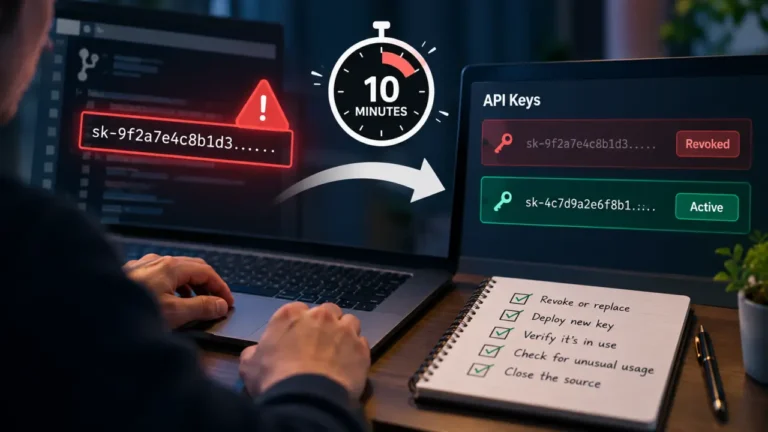
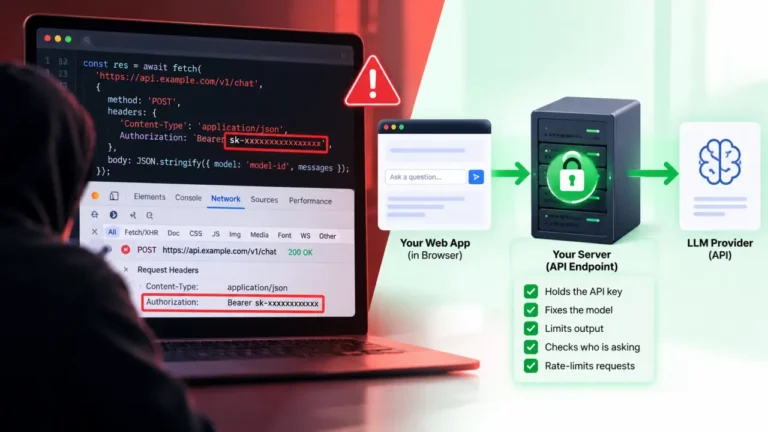
Do not hard-code the provider’s API key into the plugin file you are about to commit or hand to a client. Read it from an environment variable or a secrets manager the host provides, and if neither is available, store it outside the web root in a config file wp-config.php already loads, never as a literal string sitting in version-controlled PHP. For rate limits and retry timing, use whatever figures your specific provider account currently publishes in its own dashboard or docs at the time you build this; those numbers change by plan and by date, so treat any number quoted from memory as stale until you have checked it live.
The PHP buffering layers that swallow your stream
This is the part that breaks the feature after it has already shipped and passed local testing. PHP output can pass through several buffers before it reaches the browser: PHP’s own output_buffering setting, zlib.output_compression if it is on, the SAPI layer (FastCGI under PHP-FPM), and then the web server’s own buffering on top of that. Local development with the PHP built-in server often has none of these active, so the stream looks perfect until it moves to the real host.
On the PHP side, turn off compression for this endpoint, disable implicit output buffering, and call flush() (plus ob_flush() if a buffer is still open) after writing each chunk, per the PHP manual’s own description of flush() as sending the current buffer contents to the client without ending the script (PHP Manual, flush, read 2026-09-18). One function that gets reached for here and should not be: fastcgi_finish_request(). It exists to close the connection to the client while the script keeps running in the background for cleanup work, which is the opposite of what a stream needs; calling it mid-stream ends the response to the browser early instead of keeping it open for the next chunk.
If PHP-FPM sits behind Nginx, Nginx buffers FastCGI responses by design and there is no single setting that turns that off entirely for the whole site. The practical fix for one endpoint is to send an X-Accel-Buffering: no header from the PHP response itself, which tells Nginx to skip buffering for that response without touching the site-wide FastCGI configuration.
Cancellation and cleanup when the user navigates away
Streaming responses stay open for as long as the model keeps generating, so the client and server both need a way to notice when the reader is gone. On the browser side, pass an AbortController‘s signal into the fetch() call so a page navigation or a “stop generating” button actually closes the connection instead of leaving it running invisibly. On the PHP side, connection_aborted() reports whether the client has disconnected, and checking it inside the flush loop, then breaking out and cancelling the upstream request to the provider, avoids paying for tokens nobody is going to read.
Proving it actually streams before you call it done
Passing a manual test in the browser is not proof the buffering is fixed, because browsers themselves hold back a small amount of data before rendering. Test the raw endpoint instead: curl with a streaming-friendly flag (no --buffer option that reassembles output) against the live URL and watch whether lines arrive over several seconds or all at once at the very end. If they arrive at once, the problem is server-side buffering, not the JavaScript, and the PHP section above is where to look first.
FAQ
Can I use EventSource if my LLM endpoint only accepts GET requests?
Yes. If you can pass the prompt as a short, URL-safe query parameter and the provider or your proxy endpoint accepts GET, EventSource will parse the text/event-stream response and reconnect automatically on drops. The moment the prompt is long enough to need a request body, EventSource is no longer an option and fetch() with a manual reader takes over.
Why does my stream still arrive all at once instead of token by token?
This is almost always a buffering layer between PHP and the browser, not the JavaScript. Check, in order, PHP’s output_buffering and compression settings, whether the code calls flush() after every chunk, and whether Nginx or another proxy in front of PHP-FPM is holding the response until it closes.
Does WordPress’s REST API support server-sent events out of the box?
register_rest_route() does not stream by default because the REST response is normally built as one complete object. You can still stream from inside a custom route callback by writing directly to output and flushing manually before the callback returns, but that means bypassing the framework’s usual response object for that one route.
Should I use WebSockets instead of SSE for a chat feature? Only if the client also needs to push data while the model is still generating, live transcription is the common case. A single prompt in, single streamed reply out chat box has no need for a bidirectional connection, and SSE is simpler to run behind existing HTTP infrastructure.
How do I stop the LLM request when the user closes the tab mid-stream?
Wire an AbortController signal into the client’s fetch() call so navigation away aborts the request, and check connection_aborted() inside the PHP flush loop so the server stops pulling tokens from the provider and cancels the upstream call instead of finishing a reply nobody will see.