Close the assistant and write the code by hand when any of these is true: you cannot yet describe the correct solution in your own words, the task touches production data or credentials and needs your full attention rather than a reviewed diff, the change is small enough that writing it takes less time than writing a good prompt, or the task is the exact kind of practice you still need to get better at. In every other case, prompting first and reviewing the output is usually the faster path. The rest of this piece works through each of those four triggers with concrete PHP and WordPress examples, because "it depends" is not a decision framework.
The test that actually matters: do you understand the solution, not just the problem
An AI assistant can describe a problem back to you accurately and still hand you a solution you cannot evaluate. That gap is the single most common source of AI-introduced bugs, because review requires understanding, and you cannot thoroughly review, test, or reason about code whose logic you do not follow. If you read a suggested fix to a $wpdb query or a recursive array-merge function and cannot say, in your own words, why it works, that is the signal to stop prompting and work the problem by hand, even slowly, until you understand it. You can return to the assistant afterward, once you have a mental model to check its output against.
This is different from not understanding the problem. Not understanding the problem is a research task, and an assistant summarizing an unfamiliar library's docs is a reasonable use of one. Not understanding the solution it just gave you is a review failure waiting to ship.
When the task is exactly what you are still learning
If you have never written a recursive function, built a custom WordPress hook, or debugged a real race condition by hand, letting an assistant produce one for you trades a learning opportunity for a shortcut. This applies specifically while a skill is still forming, not forever. A developer who has written dozens of register_rest_route() callbacks and understands permission_callback cold is not skipping a lesson by letting an assistant scaffold the fortieth one. A developer who has never reasoned through why a permission callback needs to check capabilities rather than just authentication is, and the WordPress REST API is exactly the kind of surface where that gap becomes a security hole rather than an inconvenience.
The practical rule: if this is a pattern you want to own for the rest of your career, write the first several by hand. Automate the pattern once it is genuinely internalized, not before.
When the task is small enough that prompting costs more than typing
Writing a precise prompt has a cost, and for a large class of small, well-understood changes, that cost exceeds just typing the change. Renaming a variable across a function, adding a single validated field to an existing form handler, fixing a typo in an error string, these rarely benefit from a round trip through an assistant. Writing a prompt that produces reviewable code is itself a skill, and a prompt written carelessly to save two minutes of typing often costs more than two minutes to review once the diff lands. If you can hold the whole change in your head and type it correctly on the first attempt, that is usually the faster path, and it is also the path with the smallest review surface, since there is nothing to review.
The inverse also holds: the more files a change touches, the more the balance tips toward prompting and reviewing rather than hand-editing every call site yourself. Reviewing a pull request that touches forty files is a different problem than reviewing a five-line diff, and the assistant earns its keep on the former, not always on the latter.
When the task is security-sensitive or touches production data directly
Anything involving $wpdb queries built from user input, file upload handling, database migrations, key rotation, or a script that will run once directly against a production database deserves your undivided attention rather than a reviewed suggestion, however good that suggestion looks. This is not a claim that AI-written code is inherently less secure than hand-written code; it is a claim about attention. A human writing a destructive query by hand is forced to reason through every clause as they type it. A human reviewing a plausible-looking destructive query written by something else can miss a clause, because reading code for correctness and writing code for correctness engage different levels of scrutiny, and the second is measurably easier to skim. For anything where a mistake is expensive or irreversible, write it yourself, then optionally have the assistant review what you wrote instead of the other way around.
When you cannot tell if it is actually faster
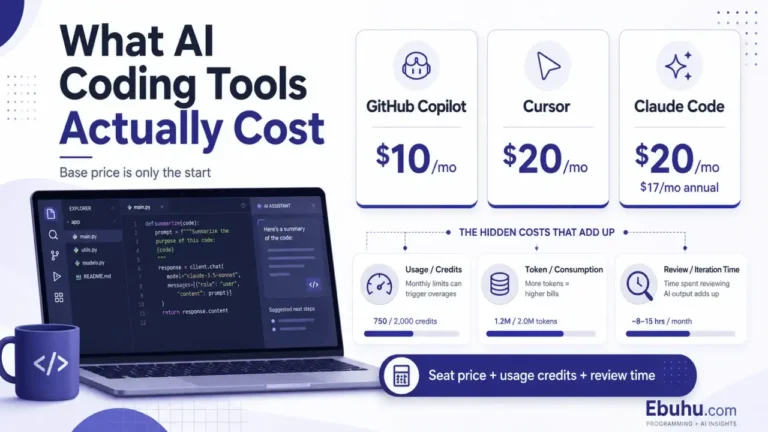
A widely reported incident in 2025 involving the Cursor assistant, in which it declined to keep generating code for a developer relying on it for a large share of a project and suggested the developer learn to write the logic themselves, became a shorthand for a real pattern: heavy, unreviewed reliance on an assistant for code the user does not understand eventually produces a wall neither the tool nor the developer can push through alone. The lesson generalizes past that one incident. If you notice you are spending more time re-prompting, skimming plausible-looking diffs, and re-prompting again than you would have spent reasoning through the problem once, that is evidence the assistant is not actually saving you time on this particular task, whatever it feels like in the moment. What these tools actually cost on a real project is rarely just the subscription price; unproductive prompting loops are part of that real cost and rarely show up until you track your own time against a task.
A short checklist before you open the assistant
| Signal | Write it yourself | Prompt and review |
|---|---|---|
| You cannot explain the likely correct solution yet | Yes | Not yet |
| The change is small and you can hold it fully in your head | Yes | Optional |
| The change touches many files or an unfamiliar API surface | Rarely necessary | Yes |
The code touches $wpdb, file uploads, keys, or a production migration |
Yes, then optionally have it reviewed | Only as a second opinion |
| This is a pattern you are actively still learning | Yes, at least the first several times | After the pattern is internalized |
| You are re-prompting the same task repeatedly with diminishing results | Yes, stop and reason it through | Not working; stop |
None of this is an argument against using an assistant. Working with an AI coding assistant as a daily practice is the default this whole site is built on. It is an argument for treating the decision to prompt as a decision, made deliberately per task, rather than a default that runs on autopilot until something breaks in a way that passes tests and is still wrong.
FAQ
Does this mean I should avoid AI assistants for anything important? No. It means the highest-stakes and highest-attention tasks, security-sensitive queries, production migrations, anything genuinely irreversible, are exactly where your own full attention while writing (not just reviewing) pays for itself. Lower-stakes, well-understood work is where an assistant's speed is close to free.
How do I know if I actually understand a suggested solution, or just recognize the syntax? Try to explain it out loud, or in a comment, without looking at the code. If you cannot state why a given line is there and what breaks if it is removed, you recognize the syntax but have not verified the logic.
Is this only about beginners? No. The learning-stage trigger is about a specific skill still forming, at any career stage. An experienced PHP developer picking up Vue for the first time is in the same position on Vue-specific patterns as someone new to programming, even if they are fast everywhere else.
What about using the assistant to review code I wrote by hand instead? That is one of the strongest uses of the tool and is not what this article argues against. Writing security-sensitive or unfamiliar code yourself first, then asking the assistant to review it, keeps your full attention on the writing step while still getting a second set of eyes.
Does slowing down for small tasks waste the assistant's usefulness? Only if you slow down for every task. The point is task-by-task judgment, not a blanket policy in either direction. A developer who never prompts and one who always prompts have both stopped making this decision, and both give something up for it.