Warning: Cannot modify header information - headers already sent by (output started at /path/file.php:1) means PHP already started sending the HTTP response body before your code called header(), setcookie(), or session_start(), and once any output goes out, headers can no longer be changed. The fix is removing whatever produced output before that call, most often whitespace or a byte-order mark before the <?php tag, and confirming it with headers_sent() before you rely on header() working at all. The confusing part, and the reason this trips people up specifically, is that the line the error names is frequently blank when you open the file, which is worked through below.
What “headers already sent” actually means
HTTP responses have a strict order: headers first, then the body. Once PHP has sent even a single byte of body content, whether that is an echoed string, a stray character, or whitespace, the HTTP headers for that response are already committed, and any later header() call has nowhere to go. PHP does not silently ignore the failed call; it emits this warning naming exactly where the output that triggered the lock began: a file and a line number.
Why the named line is often blank
The most common trigger is a single character of whitespace, a space, a tab, or a blank line, sitting before the opening <?php tag or after the closing ?> tag of an included file. That blank line is, from PHP’s point of view, output: anything outside <?php ... ?> tags is treated as literal text to print, including whitespace an editor inserted invisibly. When the offending character is a single newline after a closing ?> in an included file, the line PHP reports as “output started at” can genuinely look empty to a human eye, because there is nothing visible there beyond the invisible character actually responsible.
A related and equally invisible cause is a UTF-8 byte-order mark, three bytes some text editors silently prepend to a file saved as “UTF-8,” which PHP treats as output the same way it treats a stray space. A file that opens with <?php on what looks like line 1 can still be reported as producing output at line 1, because the BOM sits before even that.
The checklist, in the order that finds the problem fastest
1. Remove the closing ?> tag from pure-PHP files. The PHP manual explicitly recommends omitting the closing tag in files that contain only PHP code, precisely to eliminate the chance of trailing whitespace after it becoming accidental output. This single habit prevents a large share of these errors before they ever happen.
2. Check for whitespace before the opening <?php tag, especially in files that were edited with a plain text editor or copy-pasted between files. A single space, tab, or blank line above <?php is enough.
3. Check for a byte-order mark, particularly on files edited on Windows or saved with “UTF-8 with BOM” rather than plain UTF-8. Most code editors have a setting to save without a BOM; re-saving the file in that mode removes it.
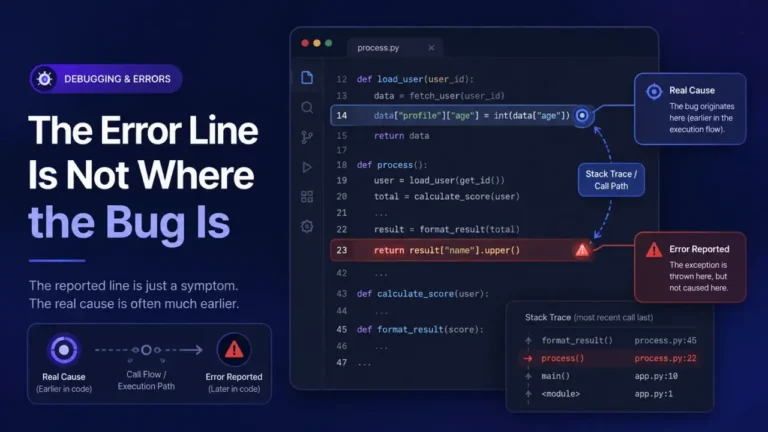
4. Check every file that gets included before the failing header() call, not just the file where the call itself lives. The output frequently originates in a completely different, included file, such as a configuration file or a shared header template, that runs earlier in the request and is easy to overlook because it is not the file mentioned in your own code where the crash surfaces.
5. Use headers_sent() to confirm programmatically, rather than guessing:
if (!headers_sent($file, $line)) {
    header('Location: /dashboard');
    exit;
} else {
    error_log("Cannot redirect, output already started in {$file} on line {$line}");
}
headers_sent() accepts two optional by-reference parameters that it populates with the exact file and line where output began, per the PHP manual, and checking it before every header() call in code that might run after other includes is a safer pattern than assuming headers have not been sent yet.
Output buffering, and why it is a workaround rather than a fix
ob_start();
// ... any accidental early output is now captured, not sent ...
header('Location: /dashboard'); // works even if output already occurred above
ob_end_flush();
ob_start() at the very top of a script captures all output into a buffer instead of sending it to the browser immediately, which means a header() call later in the same request still succeeds even if something printed earlier, because nothing has actually been sent to the client yet. This genuinely fixes the symptom, and turning it on globally (output_buffering = On in php.ini) is a reasonable safety net on a legacy codebase you cannot fully audit. It does not fix the underlying stray output, which usually still indicates an unwanted whitespace character or accidental echo sitting somewhere in the include chain, the same kind of small, invisible mistake that produces a memory exhaustion crash when the assumption it hides is about scale instead of output, worth cleaning up when you have the time rather than relying on the buffer to mask it indefinitely.
The WordPress-specific version of this error
On WordPress, this most often appears when a plugin or theme’s functions.php or a similar file has trailing whitespace after its closing ?> tag, or when a plugin echoes debug output directly instead of logging it, and something downstream tries to call wp_redirect() or set a cookie afterward. wp_redirect() is WordPress’s own wrapper around header('Location: ...') and fails for exactly the same underlying reason. Since WordPress loads plugins, the theme, and wp-config.php in a fairly predictable order before rendering a page, checking wp-config.php and any recently edited or newly installed plugin file for trailing whitespace after ?> is usually faster than auditing the entire codebase from scratch.
FAQ
Why does the error sometimes name a completely different file than the one I edited?
Because the output that locked the headers can come from any file included earlier in the request, not necessarily the file where your header() call lives. Check every included file up the chain, particularly configuration files and shared includes that load before your own code runs.
Is output buffering a safe permanent fix?
It reliably prevents the warning from appearing, but it does not remove the accidental output causing it, which can still affect page rendering, cache behavior, or response size in ways unrelated to headers. Treat it as a safety net while you find and remove the actual stray output, not a substitute for finding it.
Can this happen from something other than whitespace?
Yes. Any echo, print, unescaped HTML outside PHP tags, or a warning or notice printed to the page (if display_errors is on) counts as output and locks headers the same way whitespace does. On a production server, display_errors being off is itself a defense against this specific failure mode, among other reasons to keep it off.
How do I check for a byte-order mark without special tools?
Most modern code editors show the file encoding in a status bar and let you re-save explicitly as “UTF-8 without BOM.” A command-line check with xxd or hexdump on the first few bytes of the file also reveals it directly: a BOM shows up as the bytes EF BB BF immediately before the file’s visible content.
Does this relate to the “cannot redeclare function” error at all?
Not directly, but both are classic symptoms of the same category of bug: a file being loaded, or producing output, in a way the developer did not fully account for. Cannot redeclare function is about a file’s declarations colliding; this error is about a file’s output arriving earlier than expected. Reading the stack trace or warning output carefully is the shared skill behind diagnosing both quickly rather than guessing.