Uncaught (in promise) Maximum recursive updates exceeded. This means you have a reactive effect that is mutating its own dependencies and thus recursively triggering itself means some piece of reactive code, a watcher, a computed property, or code inside your render function, is reading a reactive value and writing to that same value (directly or indirectly) on every run, so Vue keeps re-triggering it until it hits its safety limit and stops the loop before it crashes the tab. This holds for Vue 3.4 and later, where the check was made stricter; the fix is always the same regardless of version: find the effect that both reads and writes the same reactive source, and break the cycle so it only writes when the value actually needs to change. This explanation is verified against vuejs/core and applies to Vue 3.4.15 and newer; if you are on 3.4.14 or earlier, see the version note below before assuming this is your bug.
What the error actually means
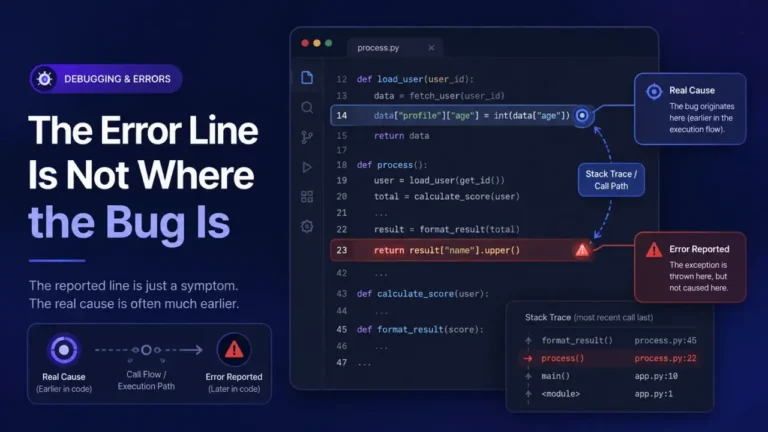
Vue’s reactivity system works by tracking which reactive values (ref, reactive, computed properties) a piece of code, called an effect, reads while it runs, and re-running that effect whenever one of those values changes. A recursive update loop happens when an effect’s own run writes to one of the values it also reads, so writing triggers the effect to run again, which writes again, forever. Vue does not let this run unbounded: it counts the recursive re-triggers and throws this error once the count passes its internal limit, which is a safety mechanism, not the bug itself. The bug is upstream, in whichever effect is doing the reading and writing of the same source.
Version note (why this may not have thrown before)
This detection changed in Vue 3.4.15, via a fix to how the reactivity system flags self-triggering effects (tracked in vuejs/core issue #10214, and related issues #10510 and #11078 on the same repository). Code that ran without this error on 3.4.14 and earlier can start throwing it after upgrading to 3.4.15 or later, with no other change to your code, because the detection got stricter, not because the underlying pattern is new. If you upgraded Vue and this error appeared immediately afterward with no code change on your side, that upgrade is very likely the trigger, and the fix is still to find and break the self-referencing effect below, not to pin an old Vue version. Check your installed version with npm ls vue before assuming which behavior applies.
The three common causes, ranked
1. A computed property with a side effect
Computed properties are meant to be pure: read reactive state, return a derived value, nothing else. A computed that also writes to a reactive value, often for tracking, logging, or updating a related piece of state, creates the exact self-triggering pattern this error is designed to catch. This is a pattern worth checking especially closely in code an AI assistant generated for you: when AI-generated code passes tests and is still wrong, a computed with a hidden side effect is exactly the kind of thing a test suite focused on the return value alone would never catch.
// Wrong: this computed writes to a ref it does not even return
const total = computed(() => {
  const sum = items.value.reduce((a, b) => a + b.price, 0);
  lastCalculated.value = Date.now(); // side effect inside a computed
  return sum;
});
Fix: move the side effect out of the computed and into a watch or watchEffect that explicitly reacts to the source, not the computed’s own evaluation:
const total = computed(() => items.value.reduce((a, b) => a + b.price, 0));
watch(total, () => { lastCalculated.value = Date.now(); });
2. A watcher that mutates the value it is watching
A watch or watchEffect callback that reassigns or mutates the same ref or reactive object it was triggered by, without a condition that eventually stops it, re-triggers itself on every write.
// Wrong: watching `count`, then writing to `count` unconditionally
watch(count, (newVal) => {
  count.value = newVal + 1; // triggers the same watcher again
});
Fix: either watch a different, derived value than the one being written, or add a guard condition that only writes when the value genuinely needs correcting, not on every trigger:
watch(count, (newVal) => {
  if (newVal > MAX) count.value = MAX; // only writes when actually out of bounds
});
3. A render function or template mutating props or reactive state during render
Reading a reactive value in the template and mutating that same value (or a value it depends on) as a side effect of rendering, common in a computed getter that also updates a store, or a component that writes to a prop-derived local ref on every render, produces the same loop, just triggered by rendering instead of an explicit watcher.
Fix: treat render (including computed getters evaluated during render) as read-only. Any write that needs to happen in response to a render or a prop change belongs in a watch with an explicit, bounded trigger condition, per fix 1 and 2 above.
Finding which effect is the culprit, on a real component tree
The error message names the pattern, but on anything past a small demo, the harder problem is finding which watcher, computed, or render path is actually doing it, and this is the part most guides skip once they have explained the mechanism. Two things narrow it fast:
- Read the component name in the trace. Vue’s warning usually names the component instance where the loop was detected (
Maximum recursive updates exceeded in component <YourComponent>), which narrows the search to that component’s own script, not the whole app. - Comment out watchers and computed properties one at a time, starting with any that write to a
reforreactiveobject, rather than only ones that look suspicious. A side effect hiding inside a computed (cause 1) is easy to miss on a read-through, because a computed is not expected to write anywhere, so it does not stand out visually the way an obviously-mutating watcher does.
Once the loop stops after removing one specific piece, that piece is confirmed as the source, and the fixes above apply directly to whichever pattern (computed side effect, unconditional watcher write, or render-time mutation) it turns out to be.
Preventing it from recurring
- Treat computed properties as strictly read-only: return a derived value, write nothing.
- Give every watcher that writes to reactive state a real stop condition, not an unconditional reassignment.
- After upgrading Vue, re-test any component with a watcher or computed that both reads and writes related state, since detection strictness has changed between minor versions before and may again.
- For the general skill of reading which component in a Vue trace actually failed, see Reading a Stack Trace You Did Not Write, which covers the Vue component-chain format specifically.
FAQ
Does this only happen in Vue 3, or also Vue 2? Vue 2’s reactivity system (Object.defineProperty-based) can produce similar infinite update loops, but the specific “Maximum recursive updates exceeded” message and the stricter detection discussed here are Vue 3’s reactivity system, most relevant from 3.4.15 onward.
My code worked fine before I upgraded Vue. Is this a Vue bug? It is a detection change, not a new bug in your code being introduced by Vue. The underlying self-triggering pattern was very likely already present; Vue 3.4.15 made the reactivity system better at catching it and throwing a clear error instead of letting it run as a silent performance problem or an eventual browser freeze.
Can I just catch this error and ignore it? No. This error is Vue’s circuit breaker stopping an infinite loop before it locks up the tab. Suppressing it does not fix the loop, it just removes the warning that told you one exists; the underlying effect will keep re-triggering up to the limit on every relevant state change.
Is Vue Hydration Mismatch related to this error? They are different problems with a similar symptom of “something is wrong with reactivity or rendering.” Hydration mismatch is specific to server-rendered apps where the server and client produced different markup; recursive update loops can happen in any Vue 3 app, server-rendered or not, and are caused by the effect-dependency cycle described above, not a server/client difference.
Does modifying a large array (100+ items) cause this on its own? Not by itself. It has shown up in reported cases involving component libraries rendering long lists, but the actual trigger in those cases is still a watcher or computed that reacts to the array and writes back to it or a related reactive source, the array size makes the loop more likely to hit the recursion limit before you notice it, it does not create the loop by itself.