
Short answer: to upgrade PHP version safely in production, never replace the running version in place. Install the new PHP alongside the old one, copy your settings across, update dependencies while still on the old version, test on staging, then send only your own traffic to the new version before everyone else’s. The switch itself becomes a one-line change in the web server config, and so does the rollback. Upgrade the command-line PHP and cron jobs as a separate, deliberate step, and do not remove the old version until the new one has run through a full cycle of real traffic.
Most failed PHP upgrades are not caused by PHP. They are caused by the order: the old version removed before the new one was proven, custom settings left behind, or a composer update that quietly made going back impossible. This guide is the order.
Why “upgrade” should mean “run both”
On a typical Debian or Ubuntu server with PHP-FPM, each PHP version is its own set of packages, its own FPM service and its own socket. PHP 8.3 and PHP 8.4 can run at the same time without knowing about each other. That changes the risk completely. An in-place upgrade has no way back except reinstalling the old version under pressure. A side-by-side upgrade has a way back that takes seconds: point the web server at the old socket again.
The commands below assume Debian or Ubuntu, nginx and PHP-FPM, moving from 8.3 to 8.4. Swap in your own version numbers. Running several PHP versions side by side on those distributions usually means a third-party repository such as Ondřej Surý’s packages, because the distribution’s own repository ships one version per release.
Pick the target from the support calendar, not the newest number
Check PHP’s own supported versions page on the day you plan. As read on September 24, 2026, it lists four supported branches:
| Branch | Active support until | Security fixes until |
|---|---|---|
| 8.2 | 31 Dec 2024 | 31 Dec 2026 |
| 8.3 | 31 Dec 2025 | 31 Dec 2027 |
| 8.4 | 31 Dec 2026 | 31 Dec 2028 |
| 8.5 | 31 Dec 2027 | 31 Dec 2029 |
PHP 8.1 is no longer on that list. If you are on 8.2, its security fixes end on 31 December 2026, which makes this an upgrade with a deadline. The right target is the newest branch your framework, CMS and plugins actually support, not the newest branch that exists. If you are several versions behind, go one minor version at a time; each step has a smaller, documented set of changes to debug.
The order to upgrade PHP version safely in production
1. Find out which PHP is actually running
php -v over SSH tells you the command-line version. It does not tell you what the web server uses, and on a server that has been upgraded before, the two often differ. Check the socket your site’s server block actually uses:
grep -rn "fastcgi_pass" /etc/nginx/sites-enabled/
ls /run/php/
Write down the FPM version, the CLI version, and every cron job that calls php by full path.
2. Back up, and prove the backup restores
Files and database, taken just before you start. A backup you have never restored is a hope, not a rollback. Restore it once to a staging copy; that copy becomes your test environment for step 4.
3. Update dependencies while you are still on the old PHP
Update your Composer packages, CMS, plugins and themes to versions that support both the old and the new PHP, and deploy that on the old version first. Now dependency changes and PHP changes arrive separately, and when something breaks you know which one did it.
There is one Composer setting that protects your rollback. Composer’s configuration docs (read September 24, 2026) describe platform as letting you “fake platform packages (PHP and extensions) so that you can emulate a production env or define your target platform.” Pin it to the old version during the transition:
{
    "config": {
        "platform": {
            "php": "8.3.0"
        }
    }
}
Without the pin, running composer update on the new PHP can pull in package versions that require it. Composer 2 also generates a platform check in the autoloader by default (the same page documents platform-check defaulting to php-only), so after that update, switching back to the old PHP fails at the autoloader before your code runs. Your one-line rollback is gone. Raise the pin only after the old version is retired.
4. Test on staging, with errors logged and not displayed
Run the restored copy on the new PHP. A cheap first pass catches syntax the new version rejects:
find . -name '*.php' -not -path './vendor/*' -print0 \
  | xargs -0 -n1 php8.4 -l | grep -v '^No syntax errors'
Then click through the paths that make money or break loudly: login, checkout, forms, admin screens, scheduled jobs. Watch the error log, not the screen. Deprecation notices are not failures today, but they are next version’s fatal errors, so collect them. The PHP 8.4 change that fills most logs is implicitly nullable parameters being deprecated. On WordPress, set up WP_DEBUG_LOG without displaying errors to visitors so staging and production log the same way.
Static analysis tools such as PHPCompatibility, PHPStan and Rector can check code against a target version before it runs. They find a lot, not everything: code paths that depend on real data and real requests only show their problems when they execute.
5. Install the new version beside the old one
sudo apt install php8.4-fpm php8.4-cli php8.4-mysql php8.4-curl \
  php8.4-mbstring php8.4-xml php8.4-intl php8.4-zip
Install the extensions your site uses, not this exact list. Then compare what each FPM build loads:
diff <(php-fpm8.3 -m) <(php-fpm8.4 -m)Any module on the left that is missing on the right is a package you still need.
6. Copy your settings across, because they do not follow you
This is the step most upgrade guides skip, and it causes the errors that look random. The new version has its own php.ini and its own FPM pool files, all at package defaults. Your raised memory_limit, your upload size, your pm.max_children, any env[] lines and the pool’s user all stayed with the old version.
diff -r /etc/php/8.3/fpm/pool.d /etc/php/8.4/fpm/pool.d
diff /etc/php/8.3/fpm/php.ini /etc/php/8.4/fpm/php.ini
Carry over your deliberate changes, and keep the new version’s own listen socket line. A site that suddenly reports allowed memory size exhausted right after an upgrade is very often a memory_limit that stayed behind. Then start the new pool: sudo systemctl enable --now php8.4-fpm.
7. Send only your own traffic to the new PHP
Staging is never quite production. Before switching everyone, route your own IP address to the new socket on the real site, with real data and real caches. In nginx, a map in the http context chooses the socket per visitor:
map $remote_addr $php_socket {
    default         unix:/run/php/php8.3-fpm.sock;
    203.0.113.10    unix:/run/php/php8.4-fpm.sock;  # your own IP
}
Then, in the site’s PHP location block, use the variable in place of the fixed socket:
fastcgi_pass $php_socket;Test and reload with sudo nginx -t && sudo systemctl reload nginx. You are now on PHP 8.4 and every visitor is still on 8.3. Two cautions. Behind a CDN or proxy, $remote_addr is the proxy’s address unless real client IPs are configured, so check which IP nginx actually sees. And your test requests write to the live database like any other visitor’s, so test with care.
8. Switch everyone, and keep the rollback one line away
When your own browsing is clean and the logs are quiet, change default to the 8.4 socket and reload nginx. Rolling back is the same edit in reverse followed by the same reload, which is why the old pool stays running. Switch at a quiet hour, and watch the FPM and application error logs for the first day, including overnight jobs.
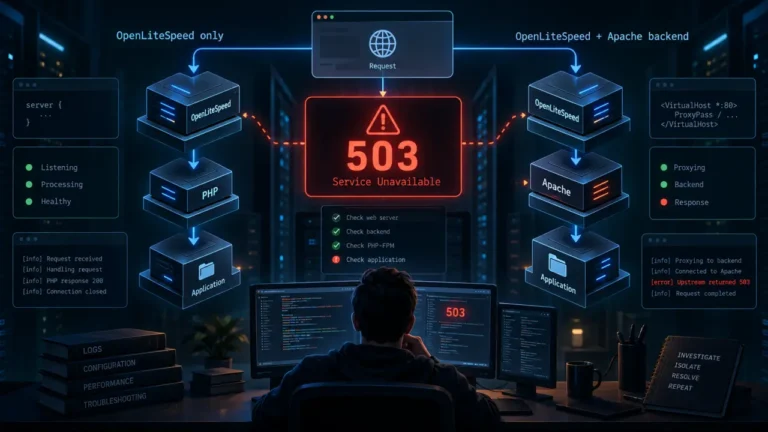
On CyberPanel or OpenLiteSpeed the mechanism differs, and a PHP build missing its extensions tends to show up as a 503 error rather than a PHP message. On managed hosting, the host’s PHP selector is your switch; confirm your custom settings follow the new version before you flip it.
9. Move the command line and cron deliberately
The web server is not the only PHP user. Cron jobs, queue workers, WP-CLI and Composer all use the command-line binary. Switch the default when the web side is stable:
sudo update-alternatives --set php /usr/bin/php8.4Restart long-running workers so they load the new binary, and update any cron entry that calls a versioned path. Then let Composer confirm the installed packages accept the new runtime. Its CLI docs describe check-platform-reqs as checking “that your PHP and extensions versions match the platform requirements of the installed packages”:
composer check-platform-reqs --no-dev10. Retire the old version last
Stop and remove the old FPM pool only after the new one has handled a full cycle of your real traffic and scheduled jobs. Then raise Composer’s platform pin to the new version.
What this process cannot promise
It cannot catch code that only misbehaves on data you never tested with, and deprecations that are warnings on 8.4 can be errors in a later version. Side-by-side PHP also assumes you control the server; on shared hosting you get the host’s selector and the host’s timing. If server configuration is not something you are comfortable changing, hand this list to whoever manages the server rather than learning on production.
FAQ
Can I upgrade PHP with zero downtime? On a server you control, close to it. With old and new PHP-FPM running side by side, the switch is a web server reload rather than a restart of PHP, and the rollback is the same reload in reverse.
Should I jump straight from 8.1 to the newest version? One minor version at a time is easier to debug, because each step has its own documented list of changes. The support table on php.net tells you how long each branch will receive security fixes.
Why does php -v show the new version while my site still runs the old one?
php -v reports the command-line binary. The site uses whichever FPM socket the web server points at. They are configured separately.
Do I need to run composer update after upgrading PHP?
Not to make the switch. Update dependencies before the switch, on the old PHP, with Composer’s platform pinned to the old version, then run composer check-platform-reqs against the new runtime. Updating on the new PHP before you are committed can break your rollback.
Is it safe to remove the old PHP version right after switching? Wait. The old pool is your rollback. Remove it after the new version has handled real traffic and every scheduled job has run at least once on it.