Before you touch this file: have a backup you have restored from at least once, and have a way in that is not the WordPress admin. SFTP, SSH, or the host’s file manager. The specific danger of functions.php is that a mistake in it locks you out of the admin, so the recovery tool cannot be the admin. Arrange the second door before you open the first one.
Now the reason it keeps happening.
The file has no safety margin
functions.php is loaded by WordPress on every single request, front end and admin alike, and it is loaded early, before most of what you think of as WordPress has finished starting up. It is not sandboxed. It is not optional. There is no “disable” checkbox.
So a fatal error in it is not a broken page. It is a broken site, including the screen you would normally use to fix it. That is the entire difference between this file and a plugin, and it is why the same typo is a five-minute annoyance in one place and a full outage in the other.
Three mistakes produce almost all of it: a syntax error, a redeclaration, and output where output is not allowed.
Get the site back first
Diagnosis after recovery. In order:
1. Undo the edit. If you still have the previous version, put it back. This is why you copy the file before editing rather than after.
2. If you do not have it, rename the theme folder. Over SFTP, rename wp-content/themes/your-theme to your-theme-off. WordPress falls back to a default theme, the broken functions.php is no longer loaded, and the admin comes back. The site looks wrong and it is reachable, which is the trade you want. Rename it back once the file is fixed.
3. Turn the error message on, privately. A white screen is PHP’s failure to display, not an absence of information. Getting the message written to a file that visitors cannot see is the single highest-value step, and the settings for it are laid out in turning on WP_DEBUG_LOG without showing errors to visitors. If you are staring at a blank page with nothing at all to go on, the fuller recovery sequence is in getting an error message out of a WordPress white screen.
Once you have the message, you have a file and a line, and the rest of this page is about which of the three it is.
Cause one: the syntax error
A missing semicolon, an unclosed brace, a stray character pasted in from a web page. PHP cannot parse the file, so nothing in it runs, so the site is dead before your code ever executes.
The whole class is preventable in one second:
php -l functions.phpphp -l parses the file and prints either No syntax errors detected or the line number of the problem. It does not run anything, so it is safe on any file. Run it before every upload. If you edit through a hosting file manager with no shell, paste into a local editor with PHP syntax checking first.
The reported line is not always where the mistake is. An unclosed brace on line 40 is often reported at the end of the file, because that is where PHP finally ran out of file. Look upward from the reported line, not at it.
Cause two: the redeclaration
function get_excerpt_length() { return 20; }Two ways this kills the site. Either you pasted the same snippet twice, or the name you chose already exists somewhere else on the site. PHP does not allow a function to be defined twice, and the second definition is fatal.
The fix is a prefix, applied without exception:
function acme_excerpt_length() { return 20; }Some snippets ship with a guard instead:
if ( ! function_exists( 'acme_excerpt_length' ) ) {
    function acme_excerpt_length() { return 20; }
}
That prevents the crash. It does not prevent the confusion of two definitions where the first one silently wins, so treat it as a compatibility measure in code you are distributing, not as a substitute for naming things properly.
Cause three: output before headers
<?php
add_action( 'init', 'acme_setup' );
?>

<?php
// that blank line above was sent to the browser
Anything outside <?php ... ?> is output. A blank line, a space, a byte order mark saved by a text editor. Once output has started, WordPress can no longer send headers, and anything that redirects or sets a cookie fails.
Two habits remove the whole class: never write a closing ?> at the end of a PHP file, and check for stray characters before the opening <?php. Some editors add a byte order mark invisibly when saving as UTF-8, so if the file looks clean and PHP still complains about output, that is the thing to check for.
The change that stops it recurring
Recovering is a skill. Not needing to recover is better, and it comes down to one decision: most of what people put in functions.php does not belong there.
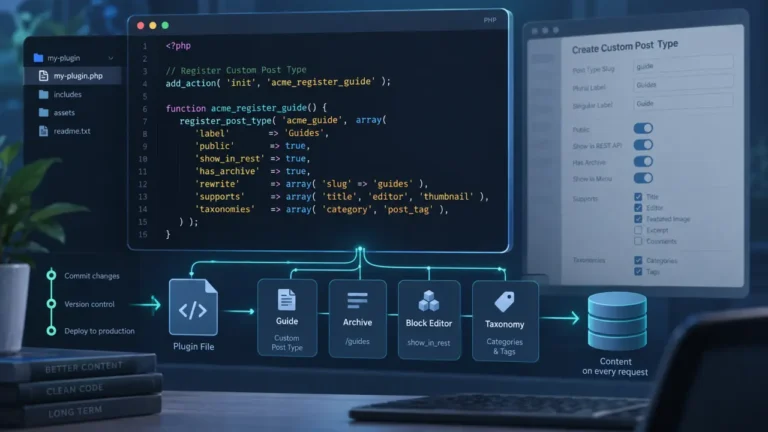
A custom post type, an integration, a REST endpoint, a scheduled job, a shortcode: none of these are presentation, and all of them survive a theme switch only if they live in a plugin. A plugin can also be deactivated when it breaks, from the admin or by renaming its folder, and the rest of the site keeps working while you fix it.
If the code genuinely is presentational and belongs to the theme, put it in a child theme so a parent update does not overwrite it, and keep it small.
The other habit worth building is knowing which stage your code runs at. A great deal of what goes wrong in this file is not a crash but a timing mistake, code that runs correctly at a moment when the data it wants does not exist yet. That is a different failure with a different fix, and the stage-by-stage map of a request is in the WordPress execution order.
The checklist
- Copy the file before editing. Keep the copy until the site has loaded successfully.
php -lbefore every upload.- Prefix every function, class and constant.
- No closing
?>. Nothing before the opening<?php. - Have SFTP access working before you need it.
- If it survives a theme switch, it was never theme code.